

When someone lands on your website, what do they actually do?
Do they scroll, click, or leave after just a few seconds?
That’s where website behavior analytics steps in.
It’s the practice of tracking and understanding how visitors interact with your site, not just how many arrive.
By analyzing user actions, businesses can uncover patterns, improve user experiences, and ultimately increase conversions.
In this guide, we’ll explore what behavior tracking really means, how it works, which metrics matter most, and why it’s become essential for anyone running a website today.
Introduction to Website Behavior Analytics
Why Tracking Visitor Actions Matters
Think of your website as a store.
Traffic analytics tells you how many people walked in.
But behavior analytics tells you what they did once inside.
- Did they head straight to the checkout?
- Did they browse for a while and leave without buying? or
- Did they get stuck and frustrated halfway?
By studying visitor interactions, you get insights like:
- Which pages keep users engaged
- Where visitors drop off or abandon their journey
- Which CTAs (calls to action) trigger the most clicks
- What content or product listings lead to conversions
Without this level of detail, you’re essentially running your website in the dark.
From Pageviews to Engagement – The Evolution of Analytics
Early website analytics focused mainly on pageviews and hits.
While useful, this data only answered surface-level questions: How many visits did we get?
Today, online businesses need much deeper insights.
Engagement metrics now go beyond raw numbers to show:
- Scroll depth – how far users actually read
- Click maps – which buttons or links get attention
- Session replays – video-like replays of real user journeys
- Conversion funnels – where users drop off during checkout or signup
This shift from traffic counting to behavioral understanding is what separates old-school web analytics from modern digital intelligence.
How Website Behavior Analytics Works
Key Data Points Monitored on a Website
To truly understand visitor behavior, modern analytics tools track multiple data points.
These can be grouped into interaction, navigation, and conversion metrics.
Here’s a quick overview:
| Category | Examples of Data Collected |
|---|---|
| Interaction | Clicks, scrolls, time on page, hover actions |
| Navigation | Entry pages, exit pages, bounce rates, path flows |
| Conversion | Form submissions, purchases, downloads, goal completions |
By combining these signals, you get a complete picture of how users move through your site and what influences their decisions.
Difference Between Traffic Analytics and Behavior Analytics
Many people confuse traffic analytics with behavior analytics, but they’re not the same.
- Traffic analytics focuses on how many people visit and where they came from. Example: “500 users came from Google today.”
- Behavior analytics digs into what those people did once they arrived. Example: “Out of 500 users, 120 added an item to cart, but only 30 completed checkout.”
Put simply:
- Traffic analytics = quantity
- Behavior analytics = quality
Both are important, but without behavior tracking, raw traffic numbers rarely translate into meaningful growth.
Core Metrics in Website Behavior Analysis
Pageviews, Sessions, and Visitor Journeys
At the foundation of behavior analysis are metrics like pageviews, sessions, and visitor paths. These reveal the structure of engagement:
- Pageviews show which content attracts the most attention.
- Sessions connect multiple actions from the same visitor during a single visit.
- Visitor journeys trace the exact sequence of steps users take.
For example, a visitor might:
- Land on your homepage
- Navigate to a blog post
- Click a pricing link
- Leave without signing up
Understanding these journeys helps you identify where users lose interest and which steps need optimization.
Click Tracking and Event Monitoring
Clicks are the currency of engagement.
Every time a user interacts with a button, menu, or link, they’re making a micro-decision.
Event tracking captures these details, such as:
- Clicks on “Add to Cart” buttons
- Downloads of a lead magnet
- Video play or pause actions
- Outbound link clicks
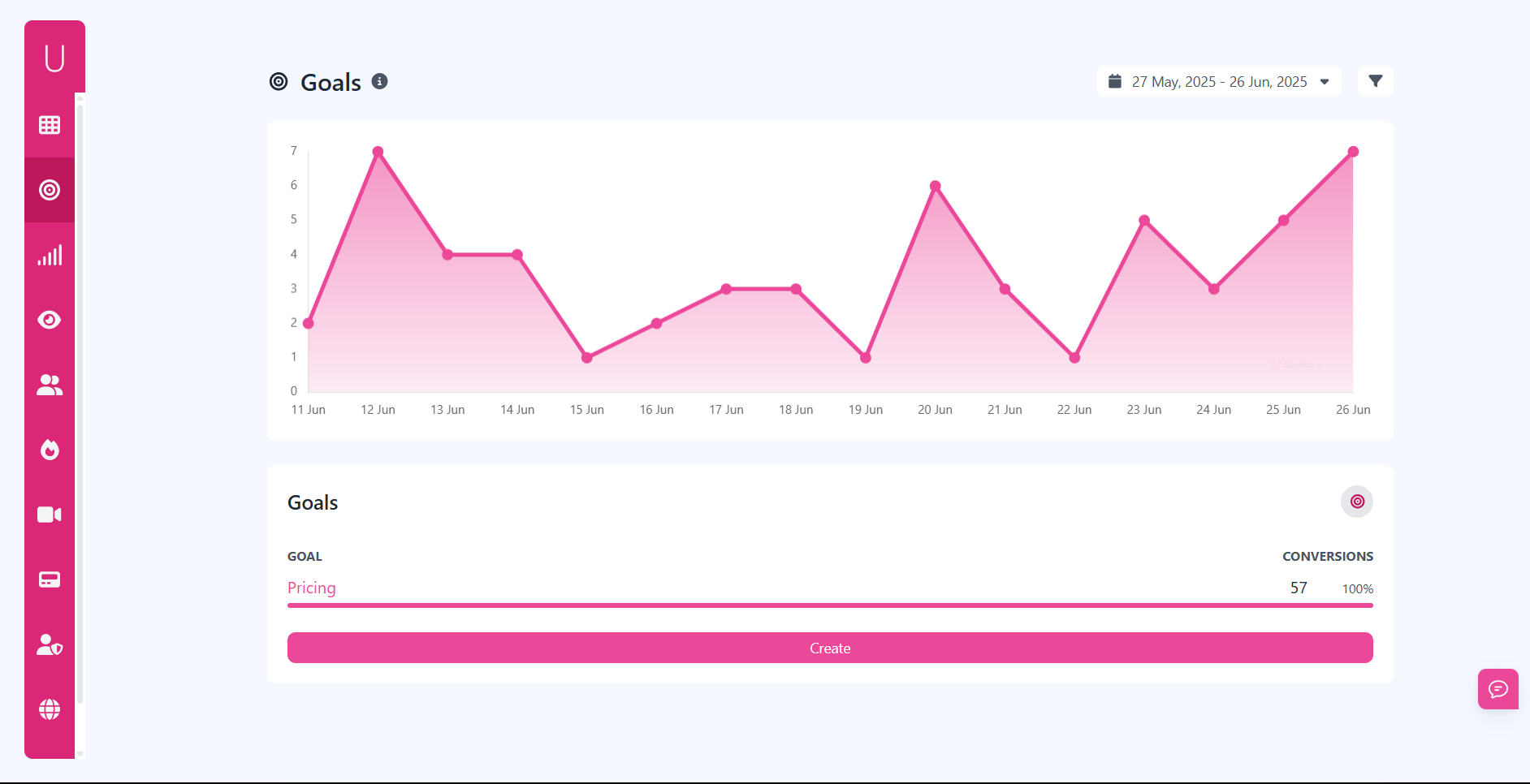
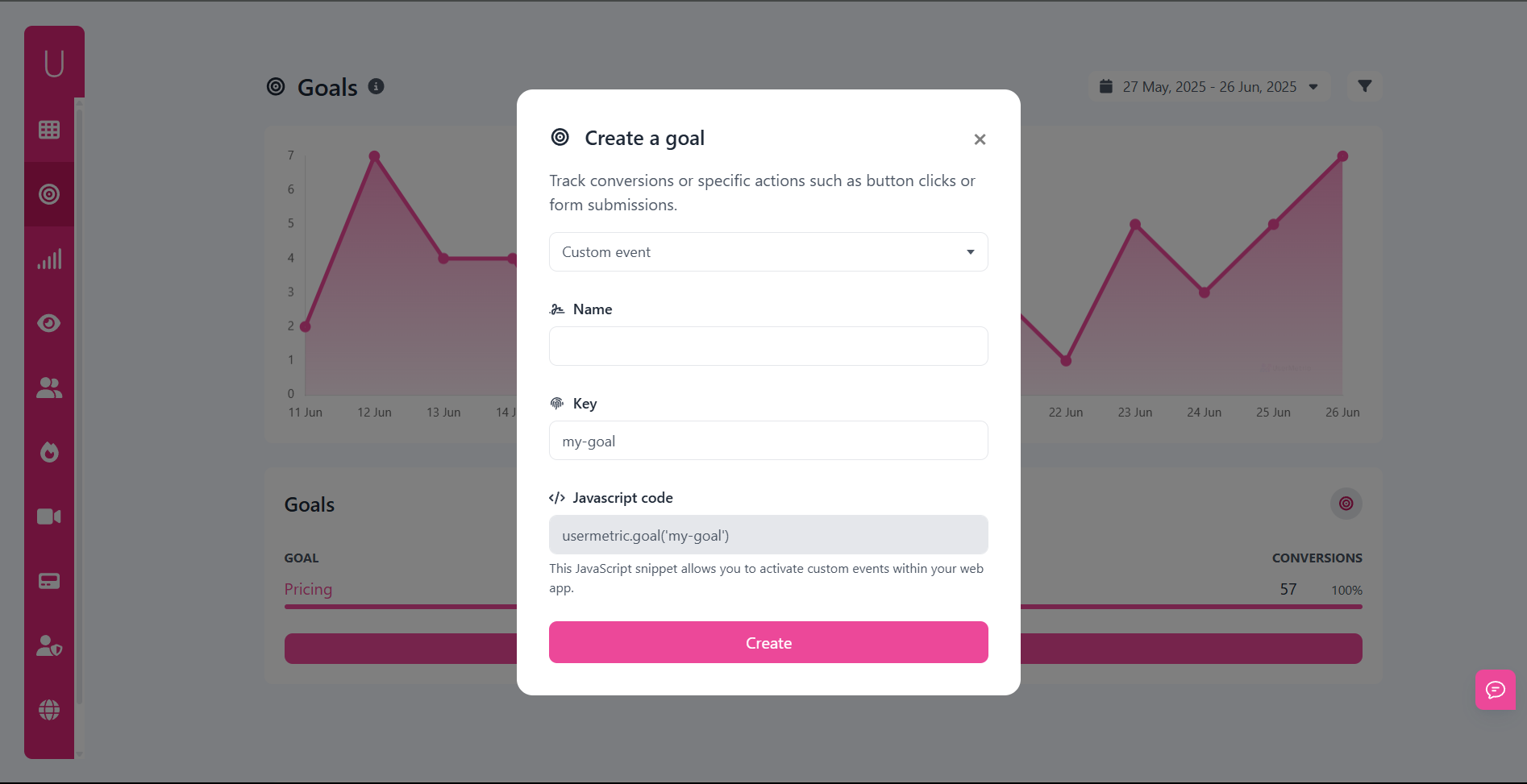
With tools like Usermetric, you can easily track these interactions through custom goals or predefined events, giving you visibility into what’s driving engagement.
Conversions, Goals, and Funnel Insights
Ultimately, the goal of analyzing behavior is to improve conversions.
This could mean:
- A purchase in an e-commerce store
- A signup for a SaaS trial
- A completed form submission
By setting up conversion goals, you can see not just how many people completed an action, but also where others dropped off.
Funnel analysis then visualizes this journey step by step.
For example:
| Funnel Stage | Visitors | Drop-Off % |
|---|---|---|
| Homepage visit | 2,000 | – |
| Product page view | 1,200 | 40% |
| Add to cart | 600 | 50% |
| Checkout completed | 180 | 70% |
This data tells you exactly where optimization efforts should be focused.
Benefits of Understanding User Behavior Online
Improving Website User Experience (UX)
A smooth, intuitive website experience is often the difference between a sale and a bounce.
By analyzing scroll patterns, click behavior, and time on site, you can detect usability issues that frustrate visitors.
Examples of UX improvements from behavior insights:
- Shortening long forms when users abandon midway
- Repositioning CTAs where engagement is highest
- Making navigation menus clearer when users get stuck
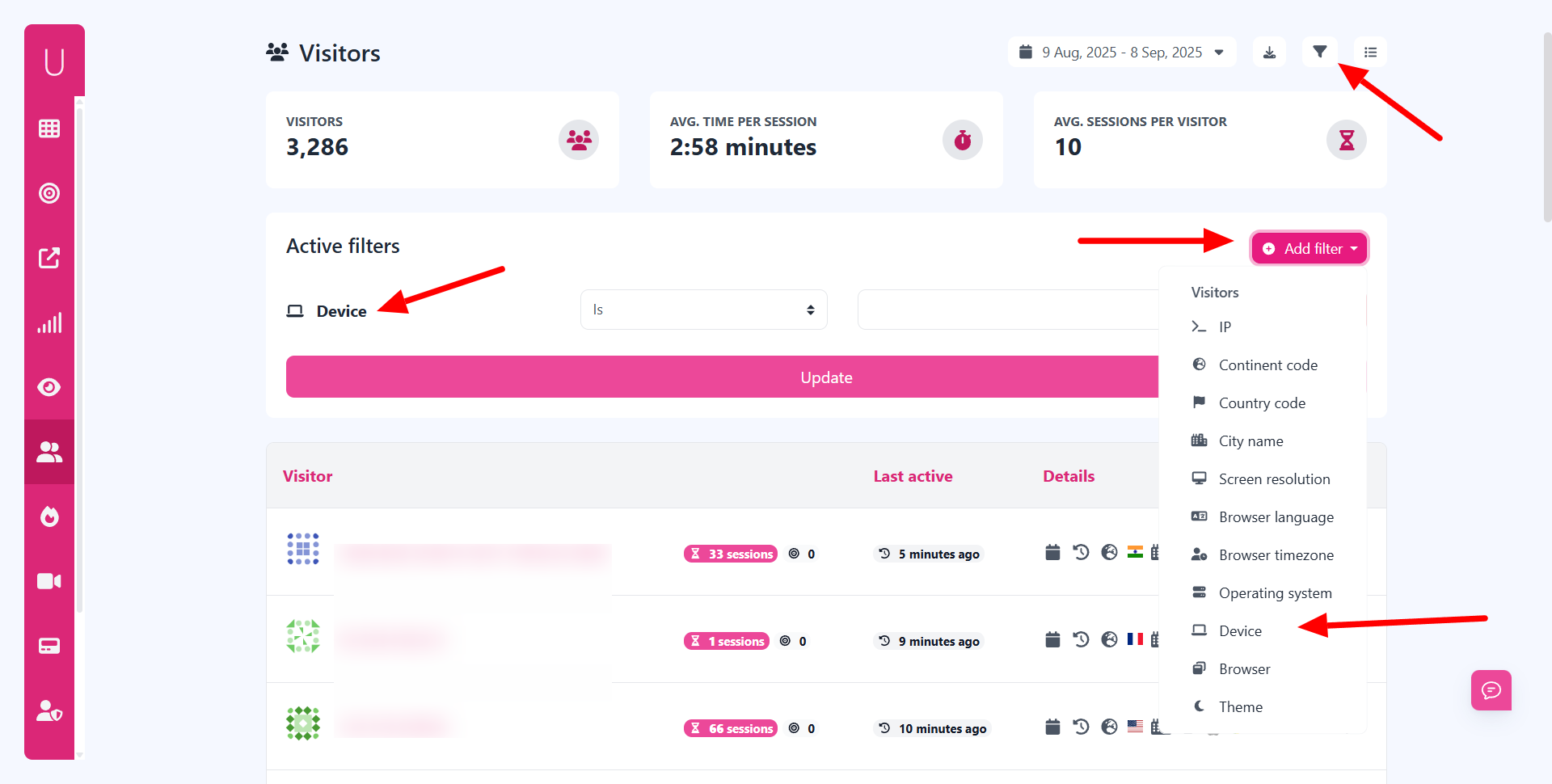
Tools like Usermetric even let you segment behavior by device type, showing if mobile visitors struggle more than desktop users.
Identifying Drop-Offs and Exit Pages
Have you ever wondered why visitors leave your site without taking action?
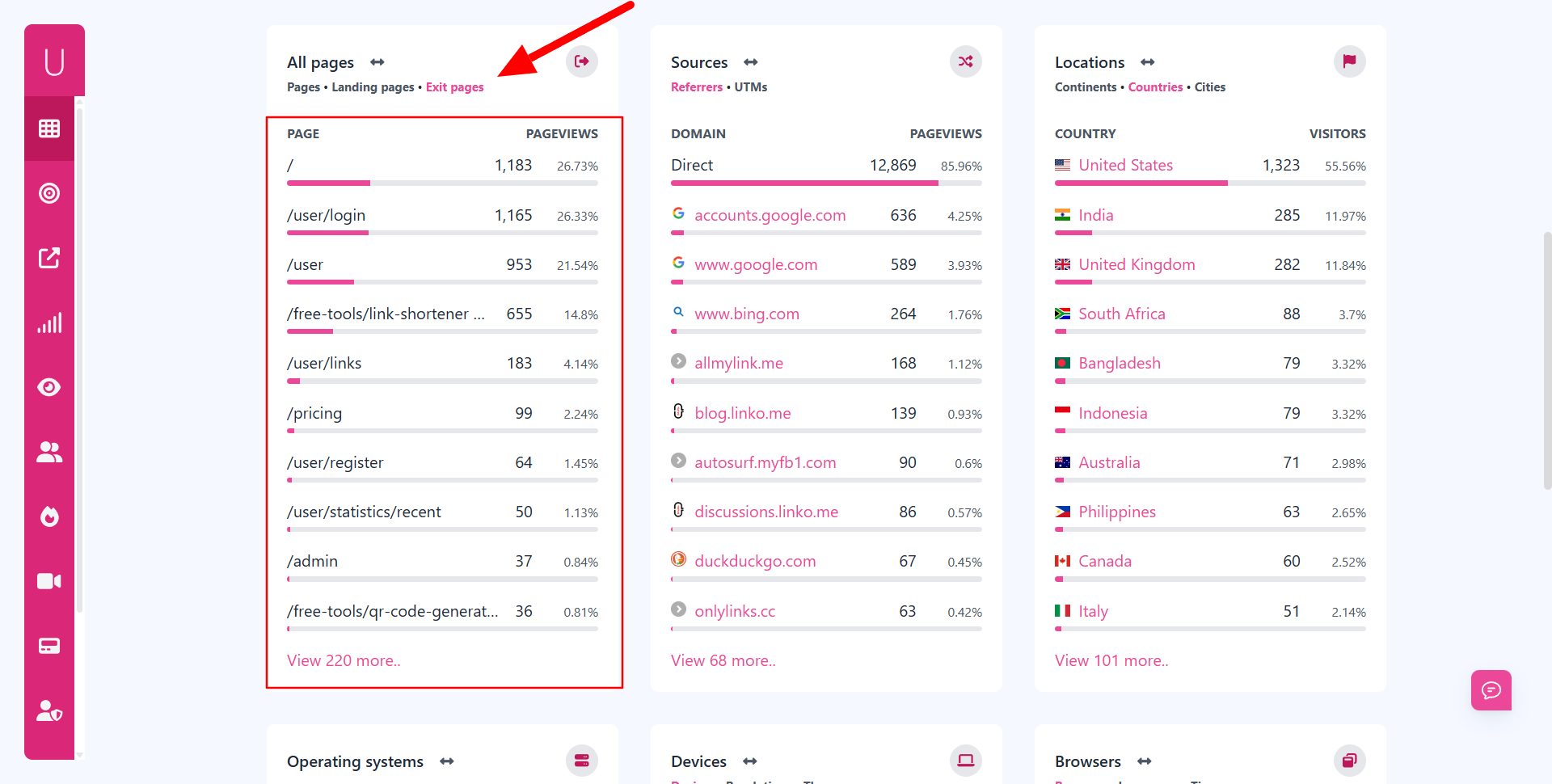
Exit page analysis provides the answer.
By monitoring where users tend to leave, you can spot problem areas such as:
- A checkout page that feels too complicated
- Blog posts that don’t include a strong next step
- Landing pages that load too slowly
Armed with this knowledge, you can apply targeted fixes that reduce drop-offs and keep users engaged longer.
Personalization Through Visitor Insights
Another big advantage of behavior tracking is personalization.
When you know what users are doing, you can adapt experiences in real time.
For example:
- If a returning visitor often views pricing pages, show them a free trial banner.
- If a new reader spends time on beginner-friendly guides, suggest related articles.
- If a SaaS user doesn’t engage with certain features, trigger onboarding tips.
This approach makes your website feel less like a static page and more like a responsive environment designed for each user.
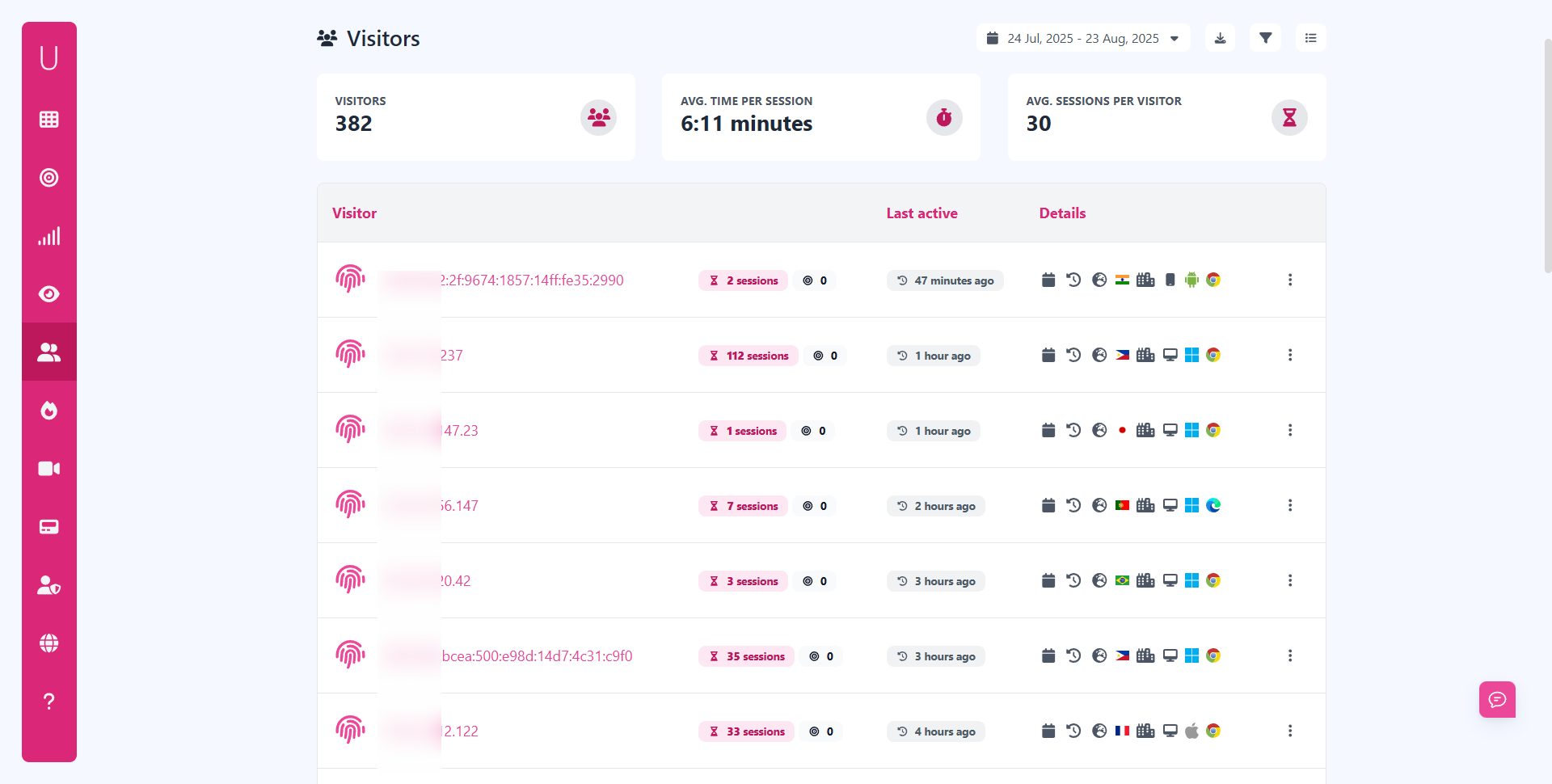
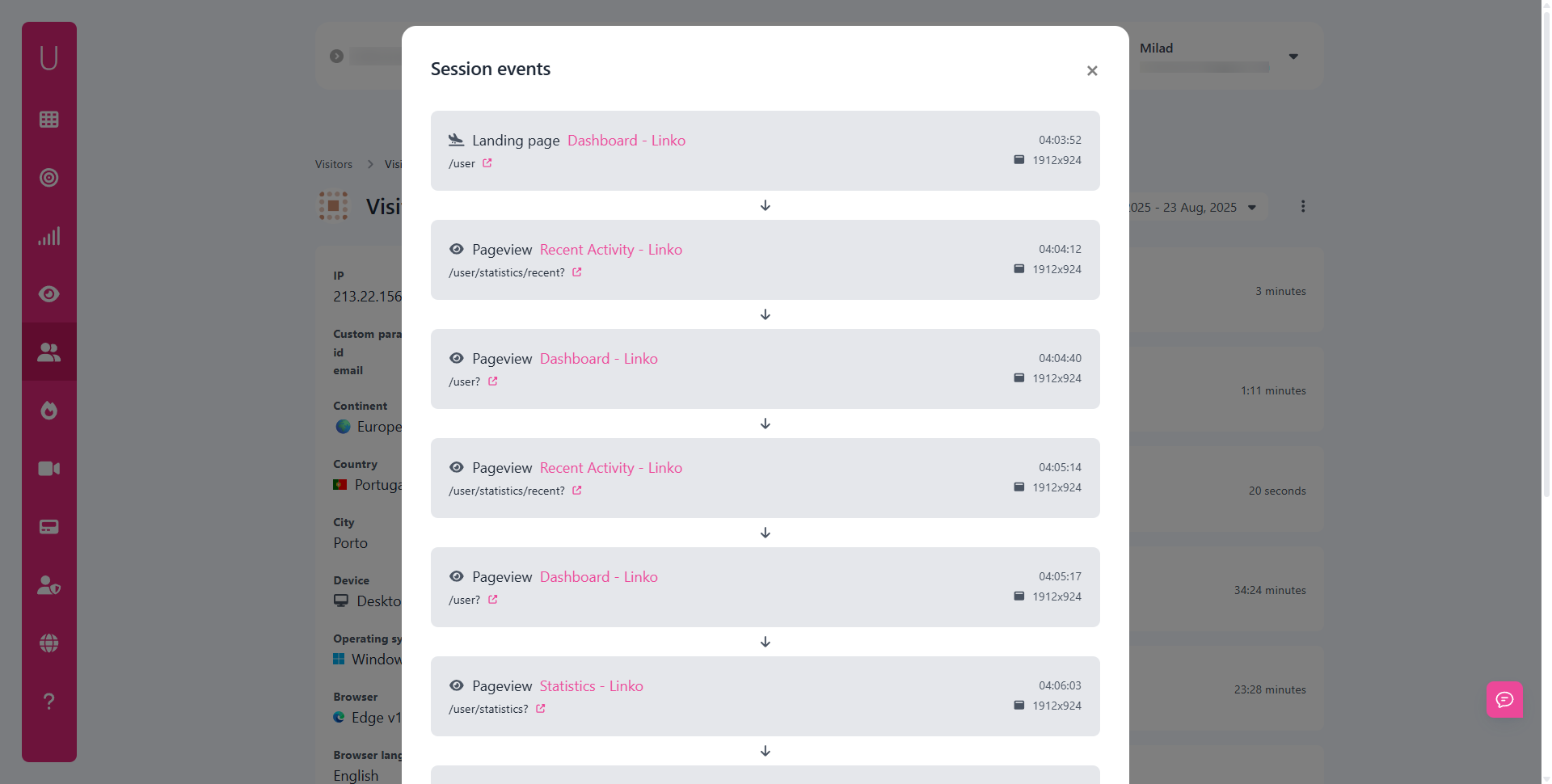
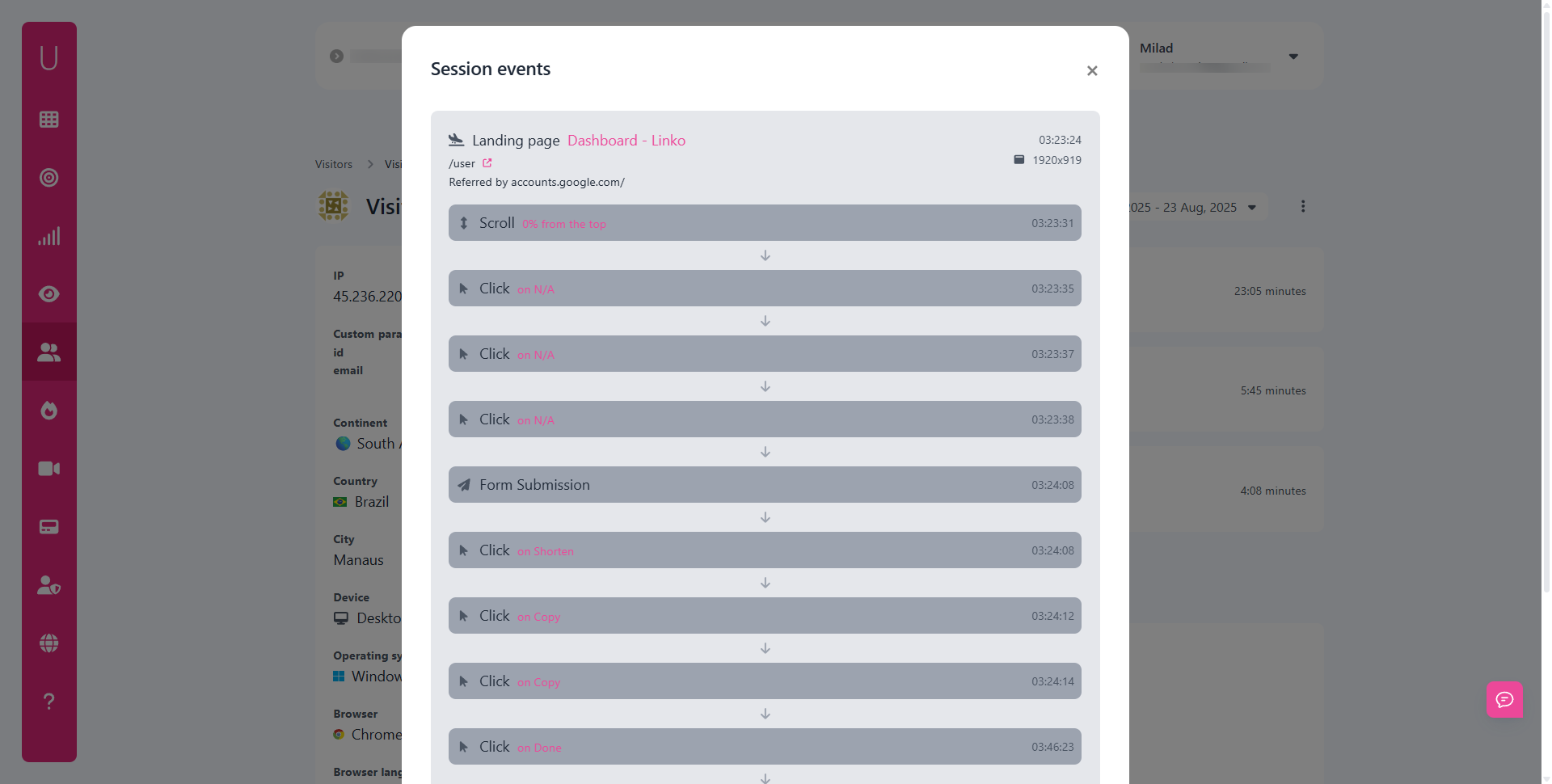
Tools and Platforms for Behavior Tracking
Traditional Analytics Platforms vs. Modern Tools
For years, traditional analytics platforms like Google Analytics dominated the industry.
They provided essential metrics, pageviews, bounce rates, and traffic sources.
While useful, these tools often stop short of showing why users behave the way they do.
Modern analytics platforms, on the other hand, go beyond surface-level stats.
They include advanced features like:
- User journey mapping – shows the exact path users take across pages.
- Event tracking – captures interactions such as button clicks or video plays.
- Conversion funnels – highlight where visitors abandon processes.
In short: traditional analytics count visitors, while modern tools explain their actions.
Businesses that rely solely on outdated metrics risk missing the deeper story behind engagement.
Privacy-Focused Alternatives for Website Analytics
As privacy regulations tighten, website owners are shifting toward analytics platforms that protect visitor data without sacrificing insights.
Many companies now prefer tools that:
- Avoid cookies and tracking pixels
- Respect Do Not Track (DNT) settings
- Comply with GDPR, CCPA, and PECR automatically
- Offer cookieless tracking modes for lightweight monitoring
This is where Usermetric aligns perfectly.
It delivers two modes of tracking:
- Lightweight Tracking – fast, privacy-friendly, and ideal for businesses that want insights without cookies.
- Advanced Tracking – includes session replays, heatmaps, and visitor history (requires consent).
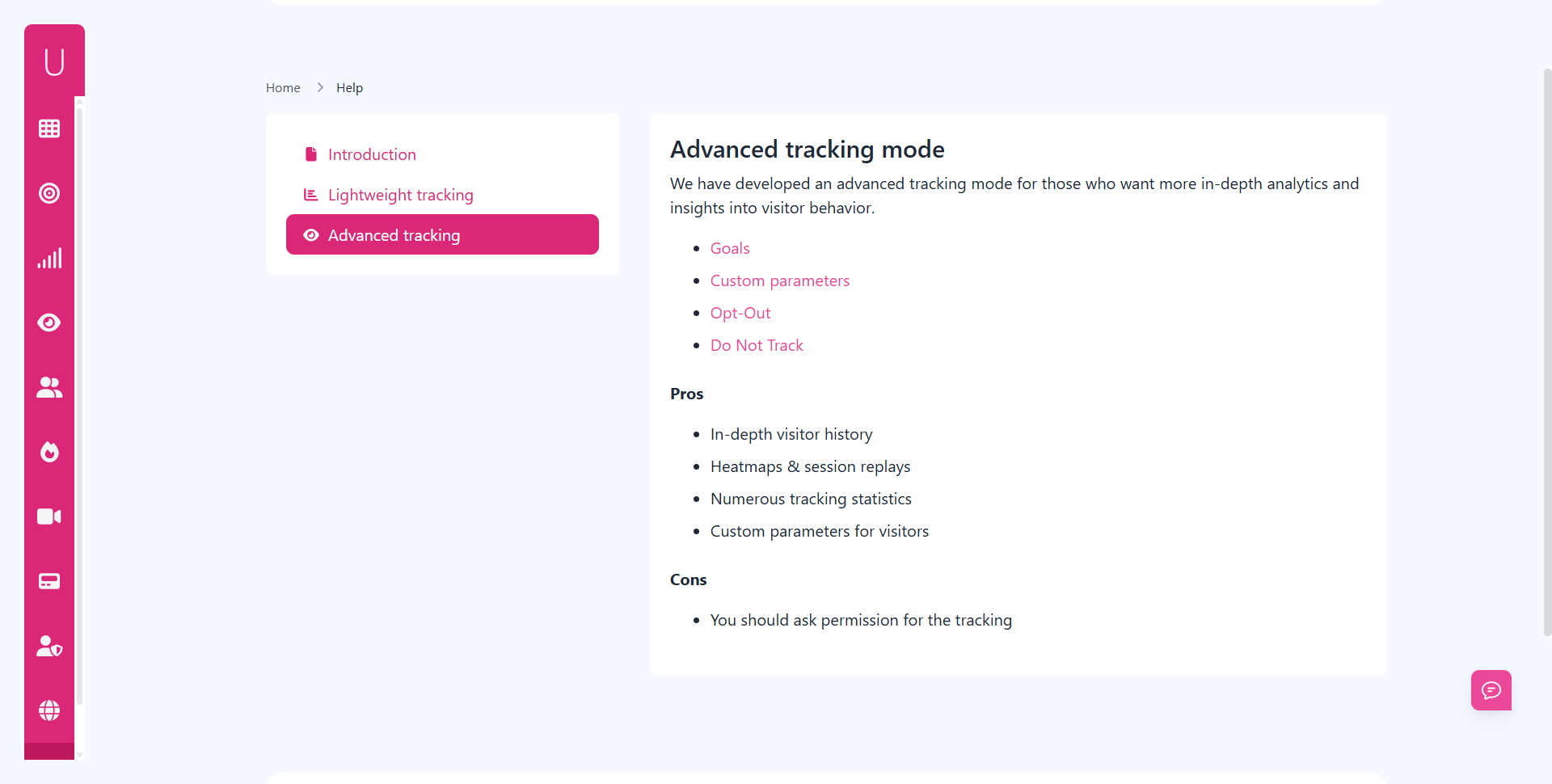
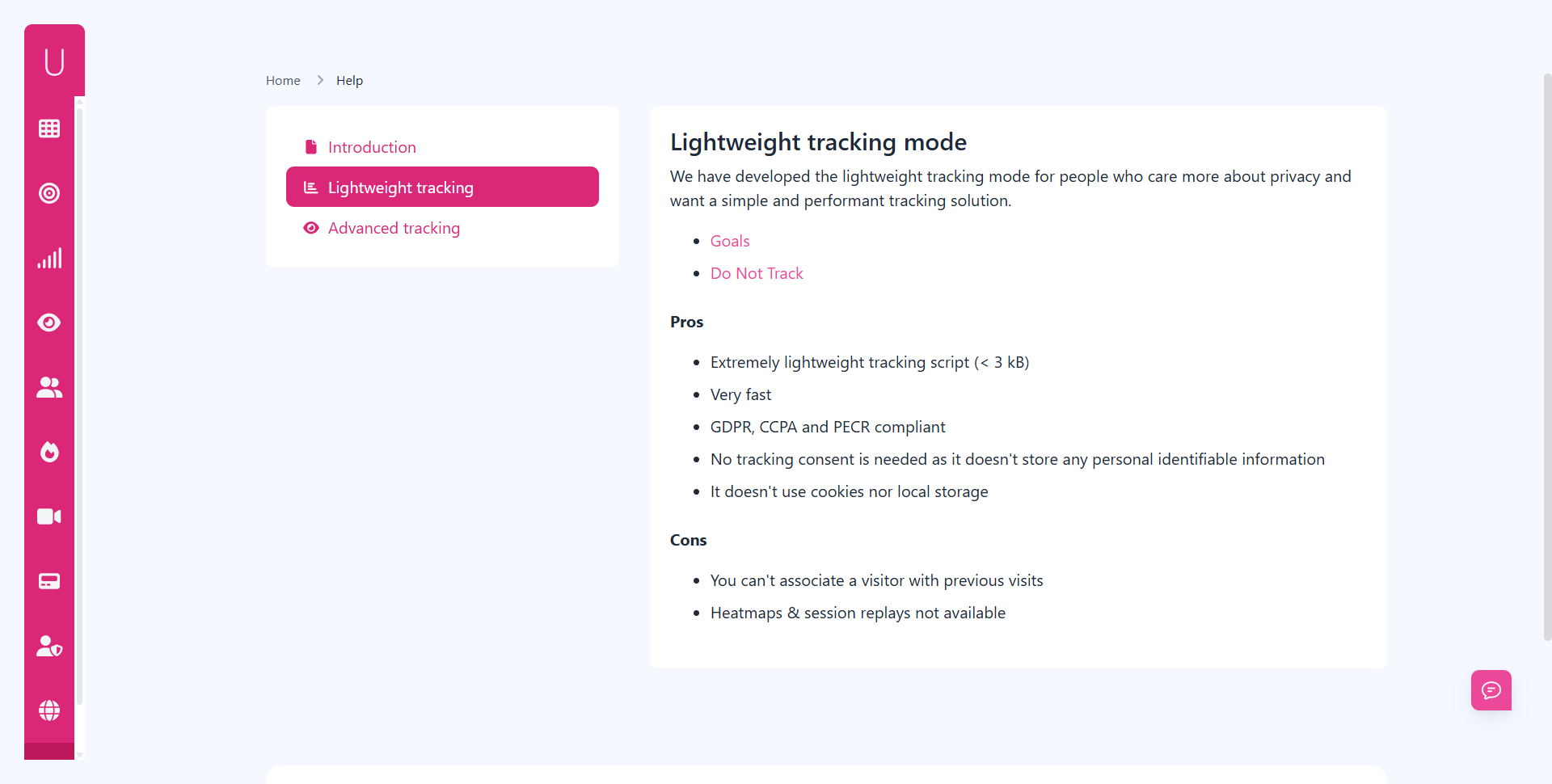
Unlike heavy, consent-dependent platforms, Usermetric gives site owners flexibility.
You can start collecting data in seconds, remain fully compliant, and only switch to advanced tracking if you need deeper visitor insights.
Heatmaps, Session Replays, and Advanced Tracking
To truly understand user intent, tools often include visual behavior analytics like heatmaps and replays.
- Heatmaps – highlight where users click, scroll, or hover the most. Great for optimizing CTAs, navigation, and content placement.
- Session replays – allow you to watch recordings of real user interactions, almost like viewing a screen recording of their journey.
- Advanced tracking – enables goal-setting, custom event monitoring, and identifying visitor segments.
When combined, these features give businesses a 360-degree view of user engagement.
For example, a heatmap might show users ignore a signup button, while session replays reveal that the button is too far down the page.
Real-World Applications of Behavior Analytics
E-Commerce Optimization Through Behavior Data
Online stores thrive on small improvements.
By studying shopping behavior analytics, e-commerce brands can:
- Identify where customers abandon carts
- Test product page layouts for better conversions
- Optimize checkout flows to reduce friction
- Measure the impact of promotions or discounts
Example scenario:
If analytics reveal 70% of users abandon carts on the shipping page, you know the issue lies in pricing transparency or form complexity.
Fixing that single step can boost revenue dramatically.
SaaS and Membership Websites Case Examples
For SaaS companies and membership sites, behavior insights are even more valuable.
Retention is the key metric, and analytics show why users churn or stay engaged.
Practical applications include:
- Tracking onboarding flows to see where new users drop off
- Monitoring feature adoption rates to identify underused tools
- Triggering in-app guidance when users ignore key actions
- Testing pricing or upgrade prompts for conversion lift
A SaaS platform might learn that most trial users never visit the “settings” page to activate critical features.
With this insight, they can redesign onboarding emails or product tours.
Content and Marketing Strategy Improvements
Behavior tracking is not limited to products, it’s just as crucial for content-heavy websites.
Publishers, bloggers, and marketers can use it to:
- Measure which articles hold attention the longest
- See where readers stop scrolling or bounce away
- Track engagement with videos, downloads, or CTAs
- Adjust internal linking to improve session duration
For instance, if 80% of visitors stop reading an article halfway, you might shorten the content or insert interactive elements like videos or infographics.
Challenges in Website Behavior Analytics
Balancing Data Collection with User Privacy
One of the biggest challenges is collecting meaningful insights without overstepping privacy boundaries.
Visitors increasingly demand transparency, and regulators are watching closely.
Solutions include:
- Using cookieless tracking where possible
- Offering opt-out links or respecting Do Not Track signals
- Avoiding the collection of personally identifiable information (PII)
This balance ensures you gain valuable insights without alienating your audience.
Accuracy, Sample Size, and Interpretation Issues
Analytics can only be as good as the data behind them.
Common issues include:
- Low sample sizes – misleading conclusions if you base strategy on too few users
- Over-interpretation – assuming causation from simple correlations
- Technical glitches – misconfigured tracking codes can distort results
To overcome these, combine quantitative analytics (numbers) with qualitative insights (user surveys, interviews).
Regulatory Compliance: GDPR, CCPA, and PECR
Laws like GDPR (Europe), CCPA (California), and PECR (UK) require website owners to handle visitor data carefully.
Non-compliance can lead to penalties.
A quick comparison:
| Regulation | Key Focus | Impact on Analytics |
|---|---|---|
| GDPR (EU) | Consent and data rights | Requires user consent for cookies |
| CCPA (US) | Data sharing disclosure | Must allow users to opt out of data sales |
| PECR (UK) | Electronic communications | Covers cookies, email tracking, and more |
Platforms like Usermetric simplify compliance by offering tracking modes that align with these laws, reducing the burden on site owners.
Future of Website Behavior Analytics
The future of analytics lies in privacy-first and AI-driven models.
Several trends are shaping the landscape:
- AI-powered predictive insights – tools will forecast user actions, not just report them.
- Cookieless tracking – reliance on cookies is disappearing; lightweight scripts will dominate.
- Ethical data collection – businesses that respect user rights will gain trust and loyalty.
- Real-time personalization – behavior data will drive instant, tailored experiences.
For site owners, this means embracing platforms that adapt quickly to privacy shifts while still offering actionable insights.
Final Thoughts
Understanding how users behave on your site is no longer optional, it’s essential.
Traffic numbers tell part of the story, but behavior analytics reveals the “why” behind the “what”.
By studying visitor journeys, clicks, and conversions, businesses can refine UX, boost engagement, and grow sustainably.
With privacy regulations evolving, tools like Usermetric provide a balanced solution: insights without intrusive tracking.
Whether you run an online store, a SaaS platform, or a content site, the smarter you analyze behavior, the more opportunities you uncover.
FAQs
What is the difference between website analytics and behavior analytics?
Website analytics shows traffic numbers like visits and sources, while behavior analytics focuses on user actions, clicks, scrolls, and conversions.
Do I need consent to use behavior analytics tools?
It depends on the tool. Platforms like Usermetric offer cookieless tracking modes that don’t require consent, but advanced tracking features do.
How do heatmaps help improve websites?
Heatmaps show which parts of a page users interact with most. This helps optimize CTA placement, reduce clutter, and improve overall usability.
Can behavior analytics improve SEO?
Yes. By analyzing bounce rates, engagement, and user journeys, you can adjust content strategy, improve site structure, and increase dwell time, factors that benefit SEO indirectly.
Is behavior tracking suitable for small websites?
Absolutely. Even small websites benefit from insights into where visitors drop off or engage most. Lightweight tools make it easy to get started without complexity.


