

In a world flooded with tracking scripts, third-party cookies, and behavioral profiling, the demand for privacy-first web analytics has never been stronger.
Users are increasingly aware of how their data is collected and shared.
Many activate Do Not Track (DNT) settings in their browsers, expecting websites to respect their choice.
But here’s the problem, most analytics platforms don’t care.
That’s where DNT compliant web analytics come in.
These tools offer a better way to collect insights without violating user trust or privacy laws.
If you run a blog, SaaS product, or eCommerce store and want to analyze traffic without crossing the line, this blog post is for you.
We’ll break down what DNT means, why it still matters, how most analytics fail, and which privacy-focused solutions (like Usermetric) actually respect user preferences.
Let’s get into it.
What Is DNT and Why It Matters Today
DNT stands for Do Not Track, a browser setting that tells websites:
“Please don’t track my activity across the web.”
When a user enables DNT in their browser, it sends a signal via the HTTP header:DNT: 1 — meaning tracking is not allowed.
The idea was simple, let users opt out of tracking globally from their browser. No need for cookie banners or popup nightmares.
One switch would silence the trackers.
Unfortunately, reality didn’t follow. 😥
The History and Decline of Browser DNT Support
The concept for DNT was first proposed in 2009 by researchers Christopher Soghoian and Sid Stamm.
Mozilla Firefox and Internet Explorer quickly adopted it. By 2015, many browsers supported it, but most analytics platforms and ad networks ignored it.
Even worse, there was no legal enforcement. Sites weren’t required to honor the DNT request, and most didn’t.
Fast forward to 2025: The Decline in Browser Support
Apple Safari was one of the first major browsers to remove DNT support in March 2019, stating that the feature itself could be used as a “fingerprinting variable” to help track users.
(Source: WikiPedia – Do Not Track)
Mozilla Firefox, an early proponent of DNT, removed the feature in version 135 on February 4, 2025 . Mozilla now recommends using the Global Privacy Control (GPC), a newer standard intended to have legal weight in some jurisdictions.
(Source: https://support.mozilla.org/en-US/kb/how-do-i-turn-do-not-track-feature)
Google Chrome still offers the option to send a “Do Not Track” request, but the company notes that most web services, including its own, do not alter their behavior when they receive it.
(Source: https://support.google.com/chrome/answer/2790761?hl=en&co=GENIE.Platform%3DDesktop)
X (formerly Twitter) discontinued support for DNT in May 2017, citing the failure of an industry-wide standard to emerge.
(Source: https://help.x.com/en/safety-and-security/x-do-not-track)
So is DNT dead? Not quite. 🫸
Why DNT Still Matters for Privacy-First Websites
Even if browsers are backing away, DNT still signals user intent. For privacy-first companies, that’s important.
Respecting DNT is like saying:
“We see your request. We care. And we won’t track you.”
That creates a trust-based relationship with your visitors, one built on consent, ethics, and transparency.
And let’s not forget: Some privacy laws reward this behavior. Honoring DNT can help businesses reduce compliance risks under GDPR, CCPA, and PECR.
So while mainstream platforms ignore it, your brand can stand out by respecting it.
DNT Compliant Web Analytics: What It Means
Defining DNT Compliance in Web Analytics
When a web analytics tool is DNT compliant, it means:
- It detects the DNT header.
- It either does not track or limits tracking when DNT is active.
- It does not override the browser’s preference.
Some platforms also include opt-out toggles, letting users choose not to be tracked, even beyond DNT.
True DNT compliance is more than a setting, it’s a philosophy. A commitment to data collection without intrusion.
Difference Between DNT and Cookie Consent
People often confuse DNT with cookie consent. Let’s break it down:
| Feature | DNT | Cookie Consent |
|---|---|---|
| Controlled by | User’s browser | Website popup or banner |
| Scope | All websites (global) | Specific website |
| Legal framework | Not enforced | Required under GDPR, CCPA, PECR |
| Tracking impact | Depends on site compliance | Must block non-essential cookies until consent |
➡️ DNT is passive but global.
➡️ Cookie consent is active but local.
Here’s the catch: most websites ask for consent but ignore DNT entirely. That’s a missed opportunity to build trust.
How Respecting DNT Signals Builds User Trust
Respect is rare online.
When users see a platform that honors their DNT request, it sends a message:
✅ You care about their privacy.
✅ You aren’t dependent on invasive tracking.
✅ You put ethics above metrics.
Trust builds loyalty and loyalty builds conversions.
A privacy-first approach isn’t just legal. It’s good business.
Challenges with Traditional Analytics Tools
How Most Analytics Ignore DNT Headers
Well, most major analytics platforms, including Google Analytics, Adobe Analytics, and others, do not respect DNT.
The signal is simply ignored. Why?
Because their core model relies on:
- User-level identifiers
- Cross-site tracking
- Behavioral profiling
DNT breaks that model. And so, it’s sidelined.
This leaves users with a choice: get tracked, or block the analytics entirely (via adblockers, Brave, Firefox strict mode, etc.).
That’s not a win-win.
Privacy Risks from Cookie-Based Tracking
Most traditional analytics tools use cookies to track sessions and users. These cookies:
- Store unique identifiers
- Re-identify returning visitors
- Sometimes share data with third parties
This raises multiple red flags:
- Violates user expectations
- Triggers compliance risks
- Leads to data hoarding, not data insight
For privacy-conscious users, this is unacceptable.
Conflict with GDPR, CCPA, and PECR Regulations
Let’s not forget: many global privacy laws are tightening.
- GDPR requires explicit opt-in for non-essential cookies.
- CCPA requires “Do Not Sell” links and opt-out options.
- PECR (in the UK) mandates consent before setting analytics cookies.
Using a tracking script that ignores DNT and auto-sets cookies?
That’s a legal liability waiting to happen.
What you need instead is an analytics solution that works without cookies, without fingerprinting, and without relying on personal data.
Key Features of DNT Compliant Analytics Tools
No Cookies or Fingerprinting by Default
The best DNT compliant web analytics tools avoid cookies entirely. They also skip browser fingerprinting techniques like:
- Canvas fingerprinting
- Audio fingerprinting
- Device entropy tracking
Instead, they use session-based identifiers or aggregated, anonymous data. That means no personal data is collected, and nothing to identify users across sessions.
It’s analytics that respects the line.
Respect for Browser Privacy Preferences
At the core of DNT compliance is this:
If a user says “don’t track me,” the tool listens.
That includes:
- Honor the
DNT: 1signal - Suppress tracking or exclude sessions
- Provide optional opt-out toggles for added transparency
Usermetric, for example, detects DNT by default and halts tracking unless explicitly allowed.
That’s privacy by design, not just buzzwords.
Lightweight Scripts and Fast Load Times
Another bonus?
DNT respecting analytics tend to be lightweight and fast. No heavy scripts. No slow-loading dashboards.
For instance, Usermetric’s tracking script is just 2.7KB. That means:
- Better page speed
- Improved SEO
- Less JavaScript bloat
You get the insights you need without hurting performance or privacy.
Anonymous and Aggregated Visitor Tracking
DNT-compliant analytics tools shift the focus away from individual users. Instead, they offer:
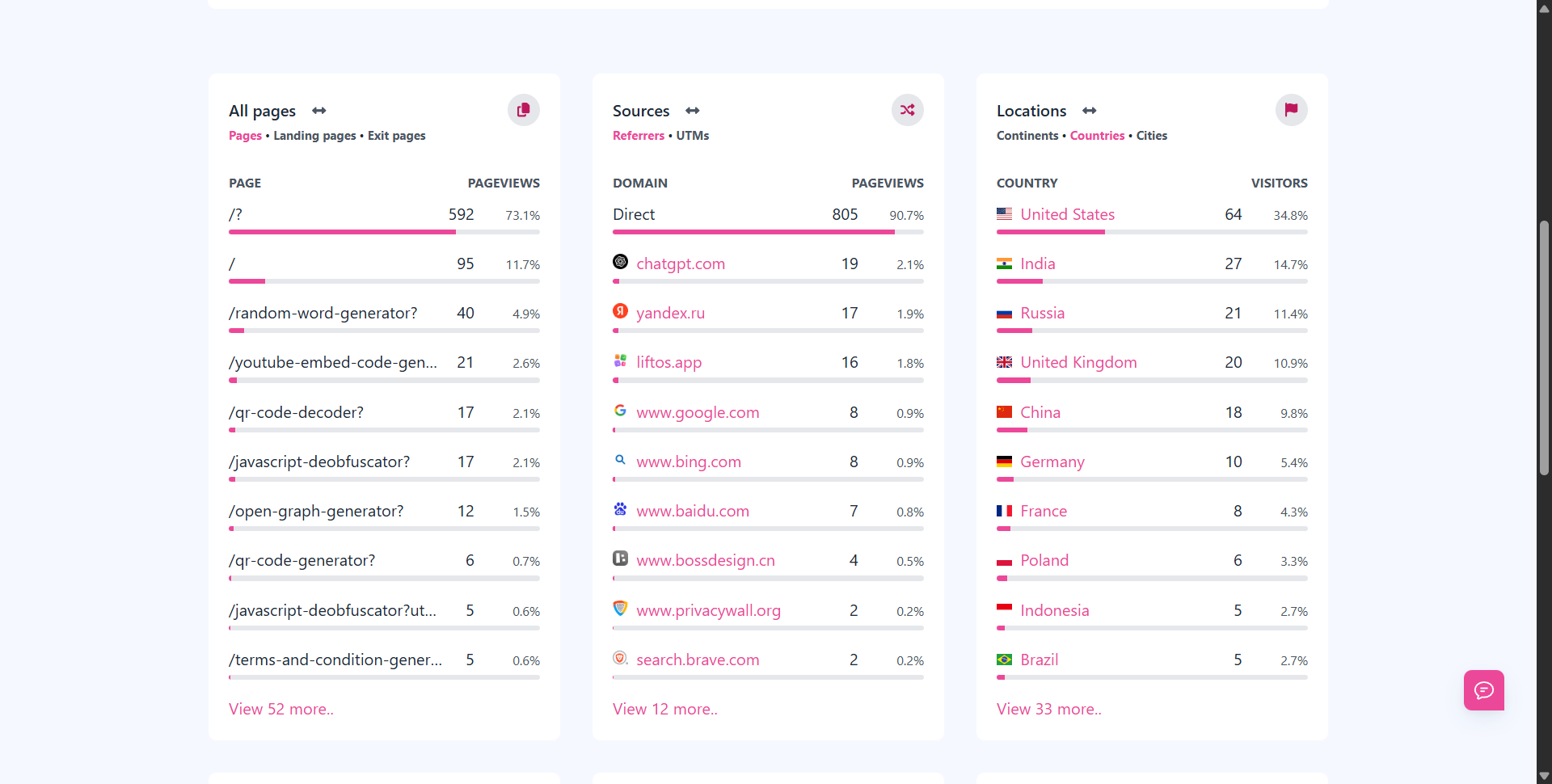
- Pageview stats
- Traffic sources
- Device breakdowns
- Country and browser data
All without knowing who the visitor is.
This aligns perfectly with privacy regulations and user expectations. Plus, you still get the data needed to make smart marketing decisions.
Meet Usermetric: Privacy-First and DNT Aware
How Usermetric Honors DNT and Consent Preferences
Usermetric is built for privacy-focused analytics from the ground up. It doesn’t just say it respects privacy, it shows it in practice.
When a visitor’s browser sends the DNT: 1 signal, Usermetric automatically disables tracking for that session.
The platform is designed to detect and respond to DNT headers without compromise.
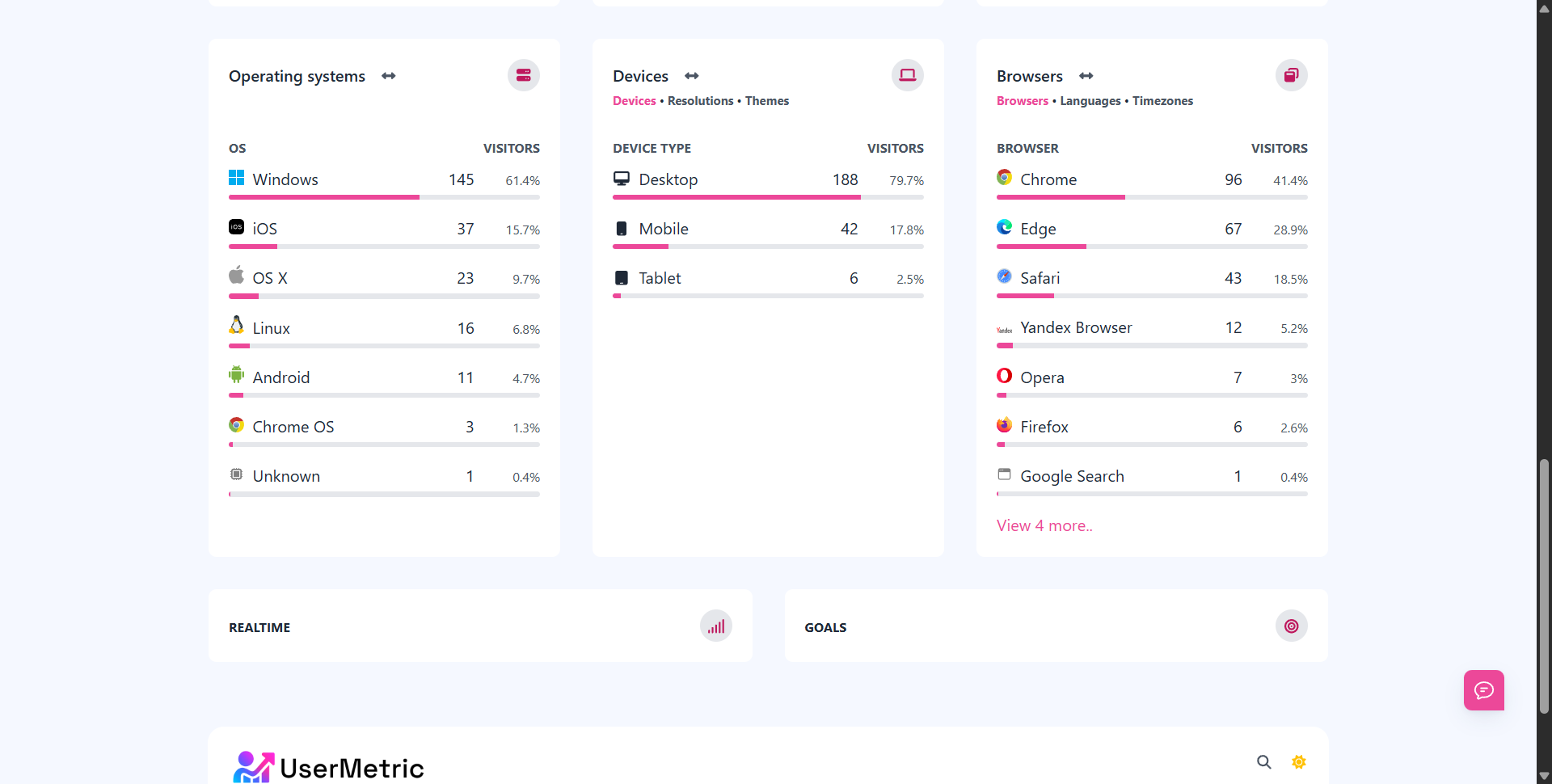
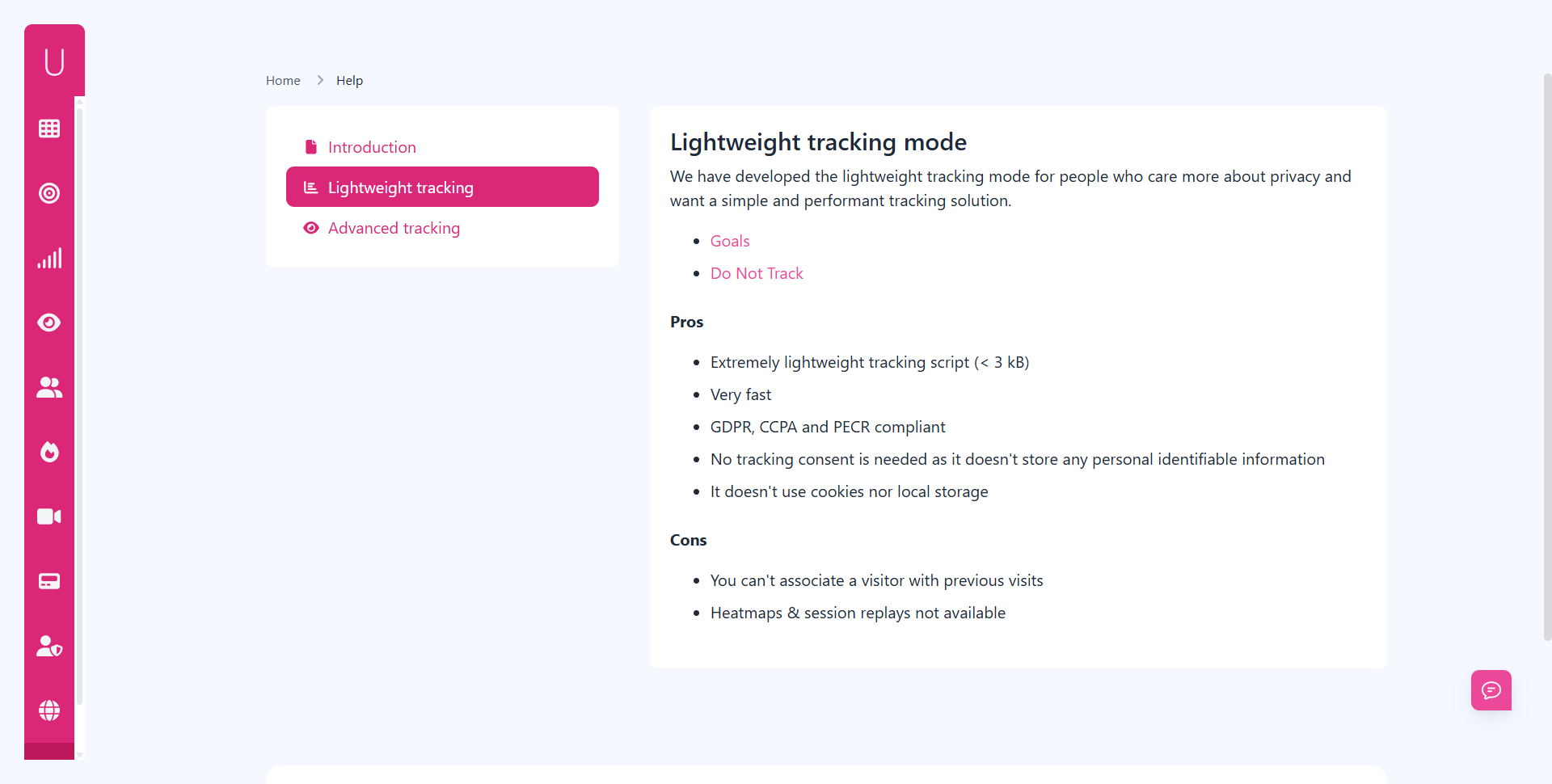
Even beyond DNT, Usermetric supports:
- Global opt-out scripts that allow users to disable tracking altogether
- Cookie-free operation, ensuring compliance with GDPR, PECR, and CCPA
- No fingerprinting or hidden identifiers
This isn’t privacy theatre. This is real consent-aware analytics that honors what users ask for.
What Makes Usermetric Different from Google Analytics
Let’s compare the two.
| Feature | Usermetric | Google Analytics |
|---|---|---|
| DNT Compliance | ✅ Yes, honors DNT | ❌ No, ignores DNT |
| Cookie-Free Tracking | ✅ Yes | ❌ No |
| Lightweight Script | ✅ 2.7KB (loads fast) | ❌ ~45KB+ |
| Personal Data Collection | ⚠️ Optional | ✅ Yes (uses IP, cookies, device IDs) |
| GDPR/CCPA/PECR Compliance | ✅ Fully compliant | ❌ Requires consent and configurations |
| Privacy-First by Design | ✅ Built for privacy | ❌ Privacy optional |
| Data Ownership | ✅ You control your data | ❌ Google owns and uses your data |
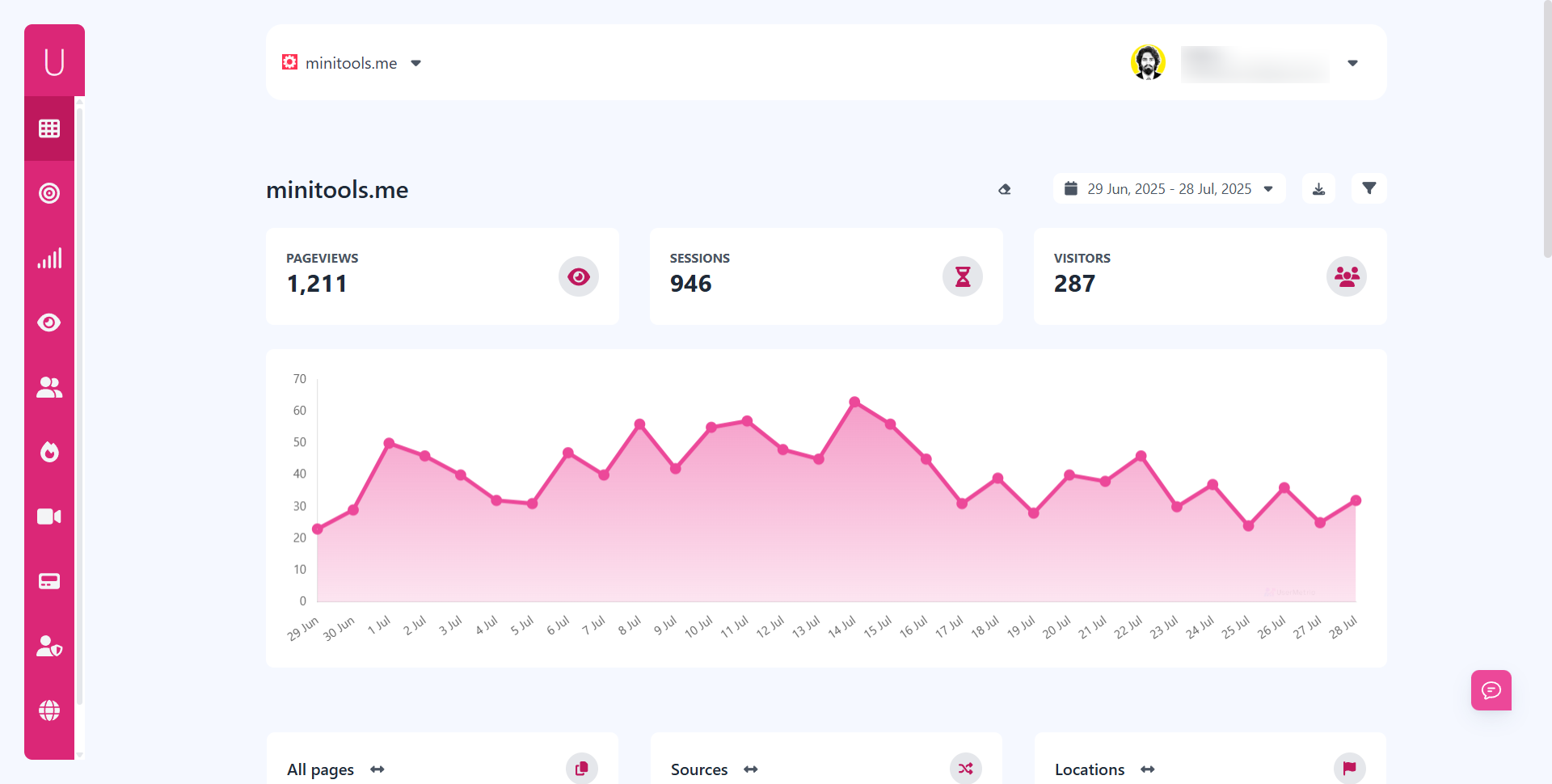
Usermetric flips the analytics model, it gives you actionable traffic data without needing to identify, track, or store personal data.
This isn’t just better for privacy. It’s faster, cleaner, and more future-proof.
How to Set Up Usermetric in 30 Seconds
Getting started with Usermetric is quick, easy, and doesn’t require any complex setup.
Here’s how to get up and running:
- Create a free account at Usermetric.io
- Add your website domain to generate your custom tracking script
- Copy the script that Usermetric provides
- Paste the script into your website’s
<head>tag
Once added, tracking begins immediately, no cookie banner, no consent wall, and no delays in capturing pageviews, referrers, and other useful metrics.
By default, Usermetric automatically respects the Do Not Track (DNT) setting sent by browsers. If a visitor has DNT enabled, Usermetric will skip tracking for that session.
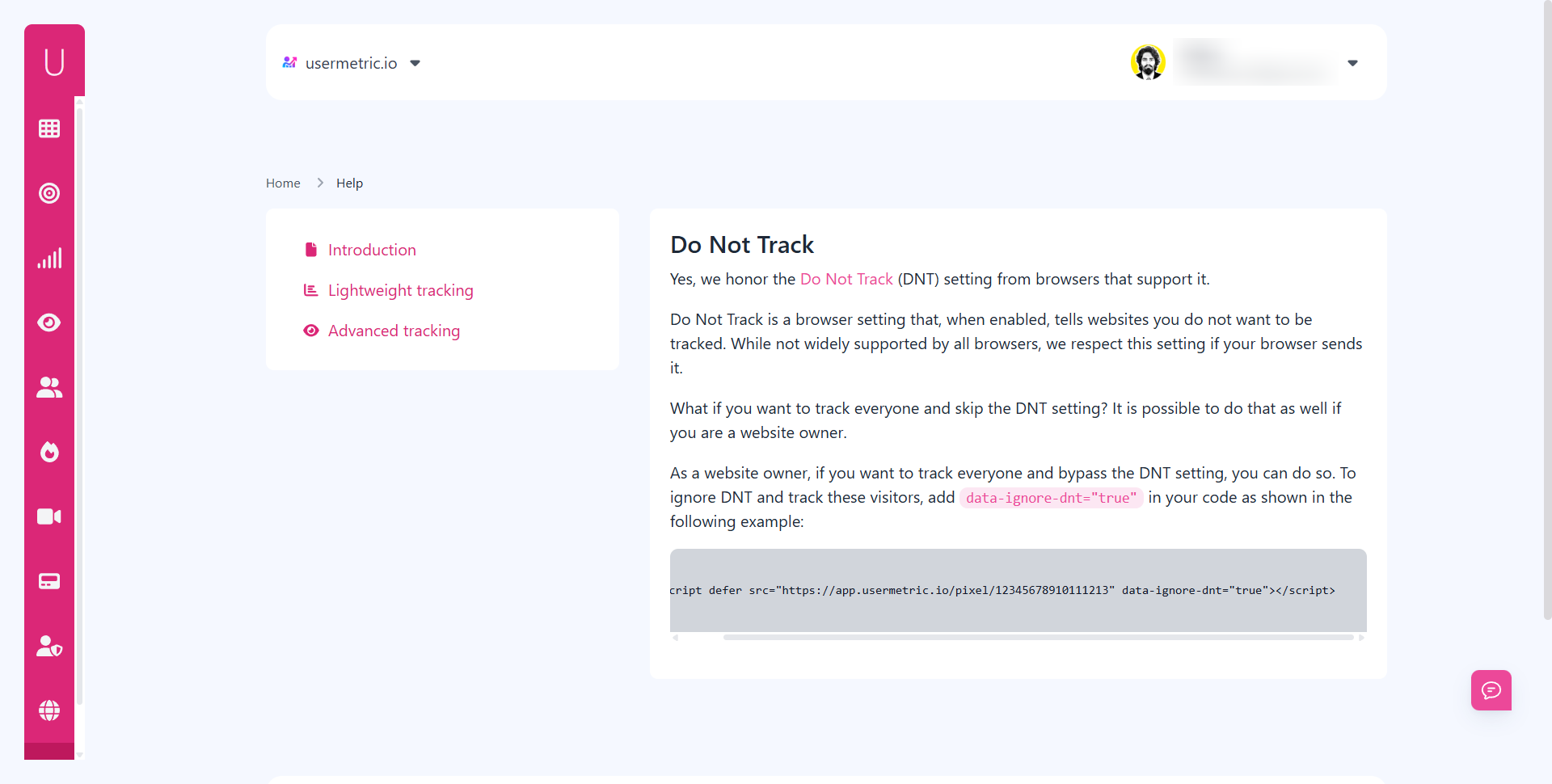
Want to Track Everyone, Even If DNT Is Enabled?
If you’re a website owner who prefers to track all visits regardless of DNT, Usermetric gives you that flexibility.
All you need to do is add a simple flag to your script:
<script defer src="https://app.usermetric.io/pixel/12345678910111213" data-ignore-dnt="true"></script>By including data-ignore-dnt="true", your tracking script will override the default DNT behavior and track all sessions. Use this option only if you’ve ensured it aligns with your privacy policy and regional regulations.
Whether you want to respect DNT for ethical data collection or override it for broader insights, Usermetric puts you in control, all while staying cookie-free and fast.
Benefits of Using DNT Respecting Analytics
Improved Privacy Compliance Without Legal Hassles
Let’s face it: keeping up with GDPR, PECR, and CCPA is a headache. The rules are complex, the fines are real, and most analytics solutions make compliance harder, not easier.
By using a DNT-aware, PECR-compliant web analytics tool like Usermetric, you:
- Avoid needing cookie consent for analytics
- Reduce exposure to regulatory violations
- Minimize the need for legal reviews and audits
You’re not just collecting data, you’re doing it ethically and legally.
Build Trust with Privacy-Conscious Visitors
More users today care about their digital footprint. When your website respects their privacy settings, you show you care about their values.
Trust leads to:
- Higher retention
- More conversions
- Lower bounce rates
Plus, you differentiate your brand from the data-hungry crowd. Using privacy-focused tools isn’t just compliance, it’s a competitive edge.
Stay Ahead of Future Browser and Regulatory Changes
Browsers are changing fast:
- Google is phasing out third-party cookies
- Safari is blocking trackers by default
- Firefox has strict privacy modes
- Global Privacy Control (GPC) is gaining adoption
Regulations are evolving too, more countries are introducing stricter laws, and enforcement is rising.
By adopting DNT-compliant analytics today, you future-proof your website for what’s coming tomorrow.
You won’t need to scramble when a new regulation rolls out or a browser changes how tracking works. You’re already compliant. Already ready.
Other DNT Friendly Analytics Alternatives (Quick List)
Plausible Analytics
Plausible is another solid option for privacy-first web analytics. It’s:
- Cookie-free
- Lightweight
- Open-source
- DNT-aware (optional toggle)
It tracks visits and events without storing personal data. However, Plausible’s DNT support is optional and must be enabled manually, not active by default like Usermetric.
Fathom Analytics
Fathom offers simple and fast analytics with privacy as a core focus. It:
- Doesn’t use cookies
- Hosts data in compliance with GDPR
- Honors DNT if you turn the setting on
Fathom is well-documented and developer-friendly. However, pricing can be higher for smaller projects or solo creators.
Self-Hosted Matomo with DNT Settings
Matomo is the open-source alternative to Google Analytics. It’s flexible and powerful, but:
- Requires server setup
- Needs manual configuration for DNT and cookie control
- Can still store personal data if not configured carefully
If you need full control and are comfortable with tech, it’s a great pick. Otherwise, Usermetric offers a faster, easier solution for respecting privacy with minimal setup.
Final Thoughts
Choosing a DNT-compliant analytics tool is more than just checking a box. It’s a signal of what kind of business you run.
You’re saying:
- You value your visitors’ trust
- You don’t need invasive tracking to grow
- You believe privacy and performance can co-exist
Usermetric makes that possible, without sacrificing insights or speed. It’s fast to set up, easy to use, and respects user preferences automatically.
In a world where every site is asking for permission to spy, being the one that doesn’t is a powerful differentiator.
FAQs
What does DNT actually do?
DNT (Do Not Track) is a browser setting that tells websites not to track the user. If a site respects DNT, it should suppress tracking activity for that user session.
Is DNT legally enforced?
No, not currently. However, it reflects user intent, and honoring it helps build trust and reduce legal exposure under laws like GDPR and CCPA.
Can I still see useful data without tracking users?
Absolutely. Tools like Usermetric offer pageview stats, referrer data, countries, devices, and more, all without cookies or fingerprinting.
Is Usermetric free to use?
Yes, Usermetric offers a free plan for small websites and hobby projects, along with affordable paid tiers for growing businesses.
Can I block internal IPs in Usermetric?
Yes. You can easily exclude your own visits or team traffic using the IP exclusion feature.
Does Usermetric support event tracking?
Yes, with custom parameters and goal tracking, you can monitor conversions, button clicks, or any defined action.


